

Analytics & Reporting
From every interaction to one operational view.
Connect every sale, payment and customer interaction with the operational activity behind it, all in one reporting environment.
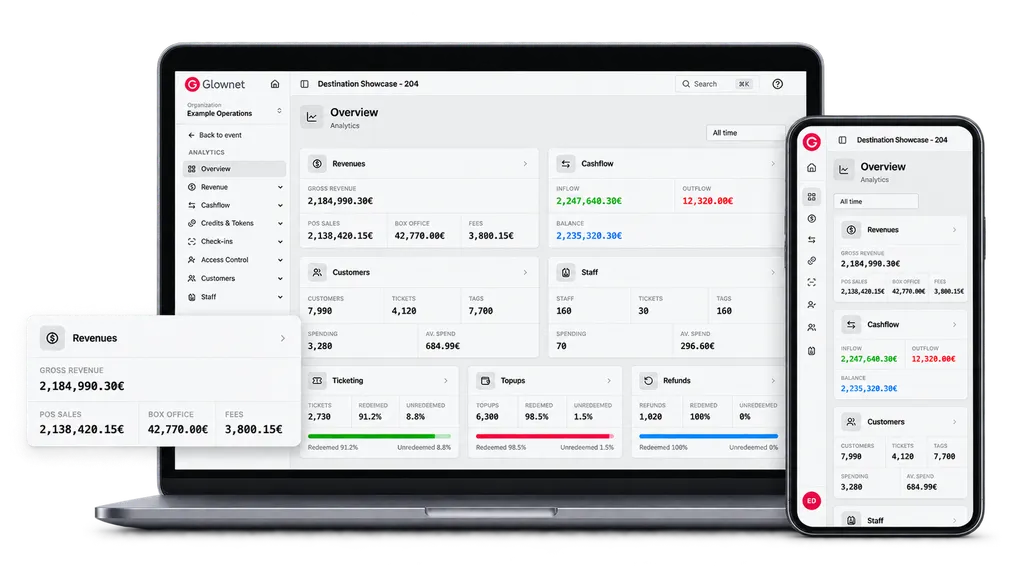
Analytics & Reporting
Shape the data around the question
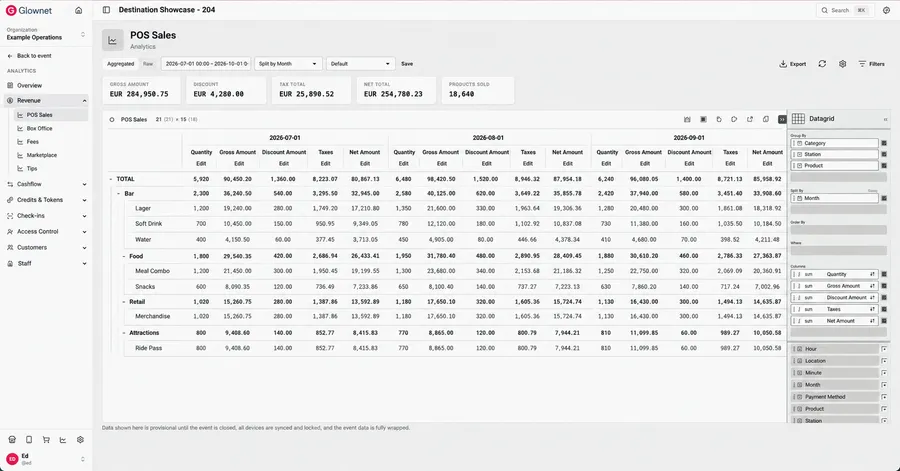
Aggregated or raw
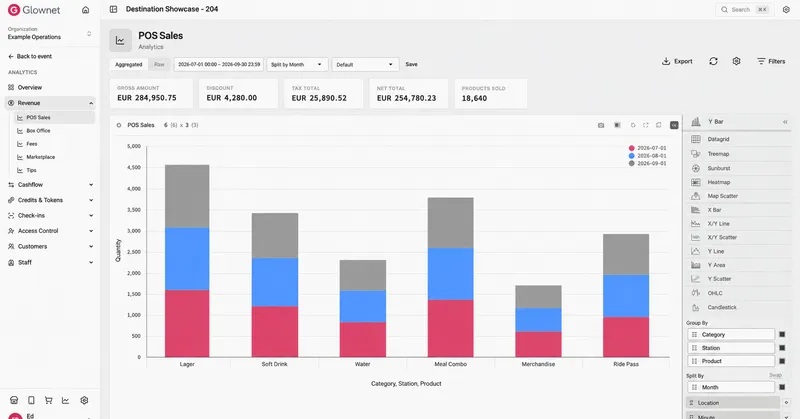
Group and split
Filter and compare
Multiple visual formats
Save reporting views
Export the results
One reporting layer across the operation
Move between commercial, financial, identity and operational activity without separating each part of the experience into another reporting system.
Sales & Revenue
POS, online, box office, marketplace, fees and tips
Payments & Cashflow
Card, cash and wallet payments, refunds and settlement activity
Wallets & Balances
Stored value, top-ups, spending, balances and refunds
Orders & Fulfilment
Orders, tickets, packages and fulfilment activity
Entry & Access
Tickets, credentials, zones and entry activity
Customers & Teams
Customer behaviour, spending and staff performance
Start with the headline. Investigate the detail.
Move from an overall result to the category, station, product, payment method or transaction behind it.
Build the structure
Choose the dimensions, measures and time periods relevant to the question.
Compare performance
Review products, locations, stations and operating periods consistently.
Use the result
Save the view, return to it later or export the underlying data.
Analytics & Reporting
Turn operational data into better decisions
Give every team a clearer view of performance across events, venues and destinations.